RecallSpace uses ARKit to let you anchor text notes, photos, and events at precise locations in any room. Walk back in and watch them appear exactly where you left them — hands-free, offline, and 100% private.
Three core capabilities that turn any room into a persistent, interactive memory layer.
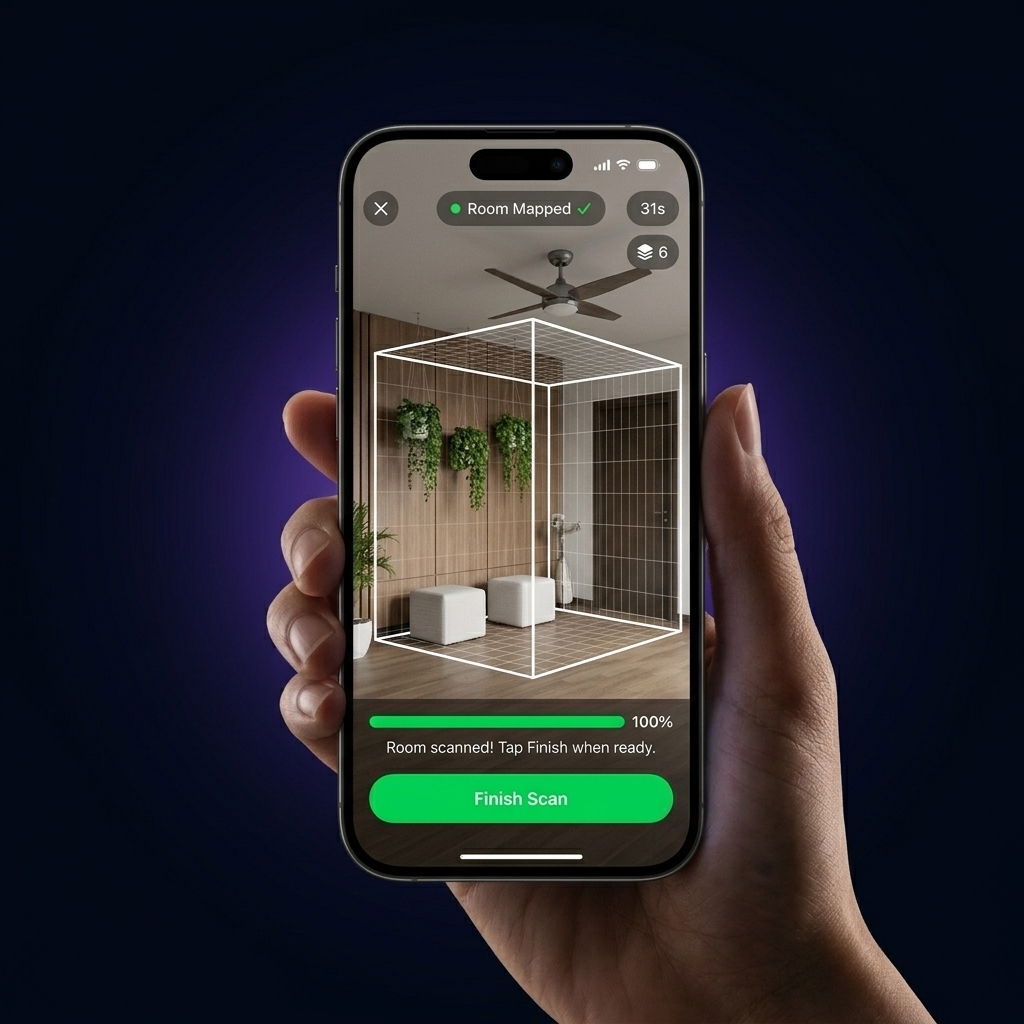
Walk around your room once. ARKit captures a detailed ARWorldMap — a spatial fingerprint of your environment saved entirely on your device. Scan as many rooms as you like.
Tap anywhere in your AR view to drop a memory — a text note, a photo, or a calendar event. Pick any emoji as the visual marker. The anchor is locked to real-world 3D coordinates.
Re-enter a scanned room and open the app. ARKit relocalises against the saved map and your anchors reappear floating in space — right where you placed them.
Switch between memory types using the tab selector. Each one anchors differently in your space.
Write anything — a reminder, a task, or a thought — and anchor it to a specific spot in your room. Perfect for sticky-note replacements that never fall off.
Capture a photo or pick one from your library and pin it to a real-world position. Useful for remembering what something looked like, or documenting a space.
Anchor a date to a physical location — like placing a "Meeting at 3pm" bubble on your desk, or a "Water plants" reminder on your windowsill. Spatial context reinforces memory.
Experience the complete RecallSpace flow. First, simulate a 3D LiDAR scan of the room, save it, and then drop interactive spatial anchors.
In the iOS app, you slowly pan your phone around to map walls and furniture in 3D. Click "Start Scanner" to begin.
Start scanning to unlock the spatial memory board.
The whole setup takes under 60 seconds. After that, your memories stay in place every time you walk back in.
Open the scanner and slowly pan your phone around the room. ARKit builds a spatial map of the environment and saves it locally on your device.
Tap anywhere in the live camera feed to drop a memory bubble at that exact 3D position. Add an emoji, write a note, upload a photo, or set a date.
Next time you enter the room, open the app and it relocalises automatically. Every anchor reappears floating in space, precisely where you put it.
All room scans and memories are stored locally using on-device persistence. RecallSpace has no server, no account, and no internet requirement. Everything works completely offline.
Technical details, device requirements, and privacy answers.

B.Tech CSE (2023-2027)
Galgotias University
Built RecallSpace from the ground up as a personal project to help users anchor digital memories directly in their physical space using ARKit.
Have a question, feedback, or need support? Reach out to us directly and we'll get back to you as soon as possible.

Join users who trust RecallSpace to anchor digital memories in physical spaces.
Free to download. Always free, forever.